
TRAINING GUIDE
Get up and running in minutes
Everything you need to manage clients, send assessments, and generate AI-powered circadian protocols — step by step.
Four steps to your first protocol
Add Client
Enter name and email
Send Assessment
2-minute circadian quiz
Review Results
Chronotype + score
Generate Protocol
AI-powered plan
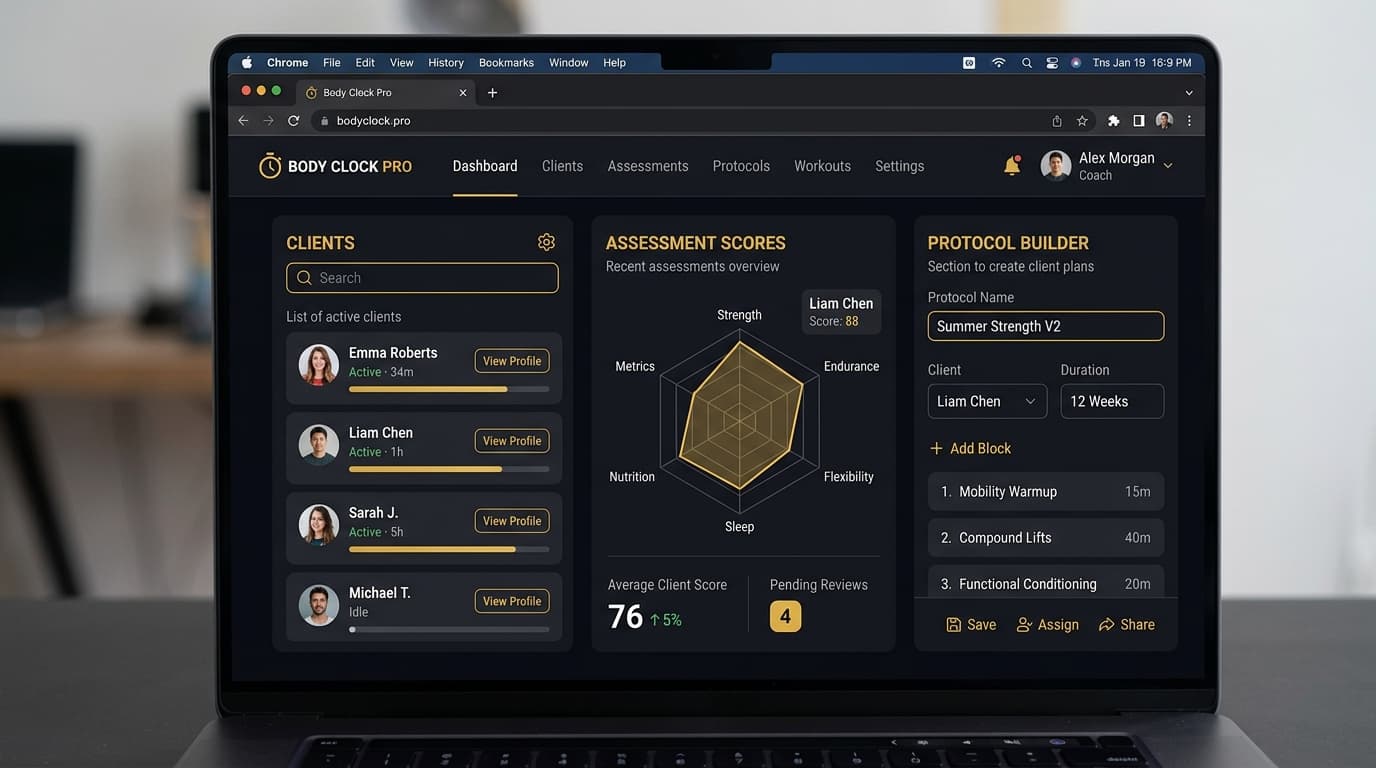
Your Coach Dashboard
Your command center for managing clients, viewing assessment results, and building protocols. Everything you need is one click away.
Tip: Complete the onboarding checklist when you first log in — it walks you through each feature.
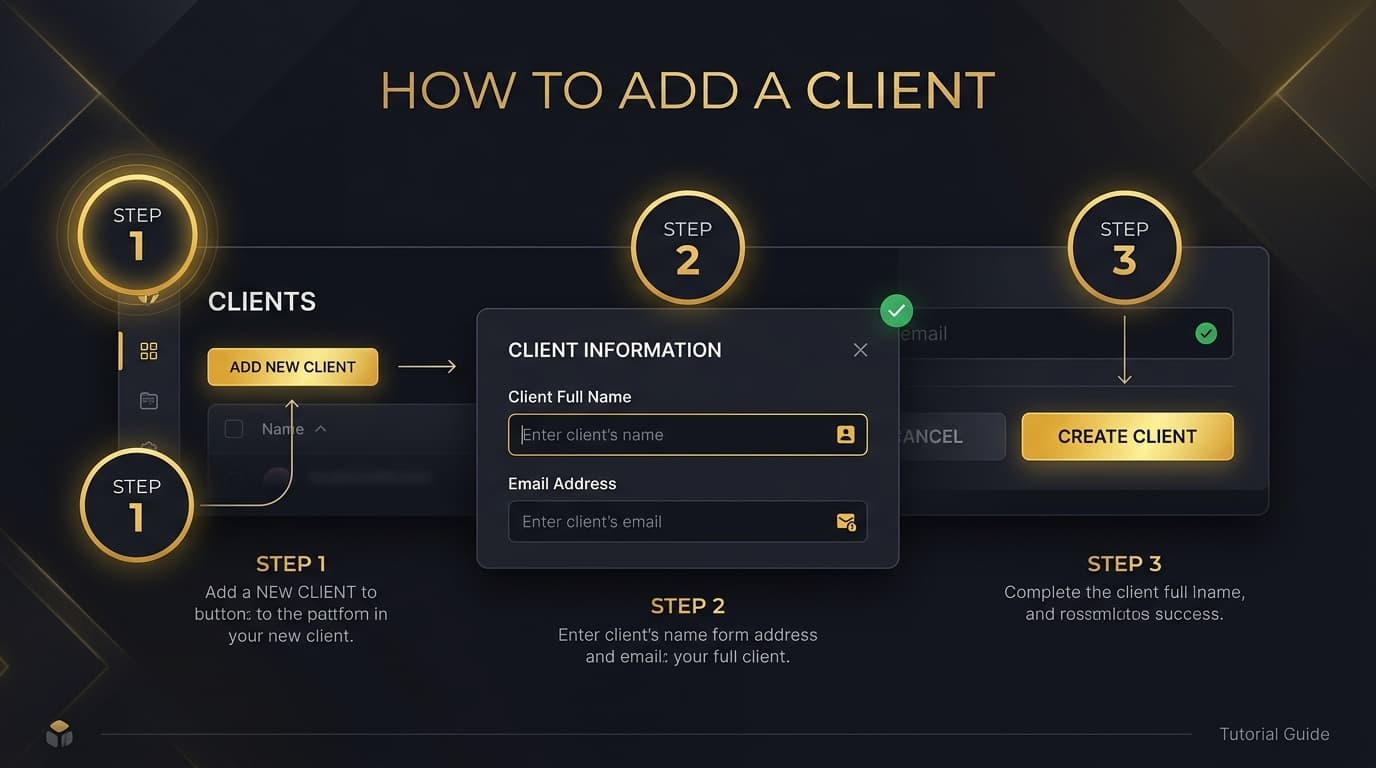
Add Your First Client
Get a client into the system in under 30 seconds. You can add them one at a time or import your entire roster via CSV.
Tip: Clients don't need to create an account. They'll receive a secure assessment link via email.
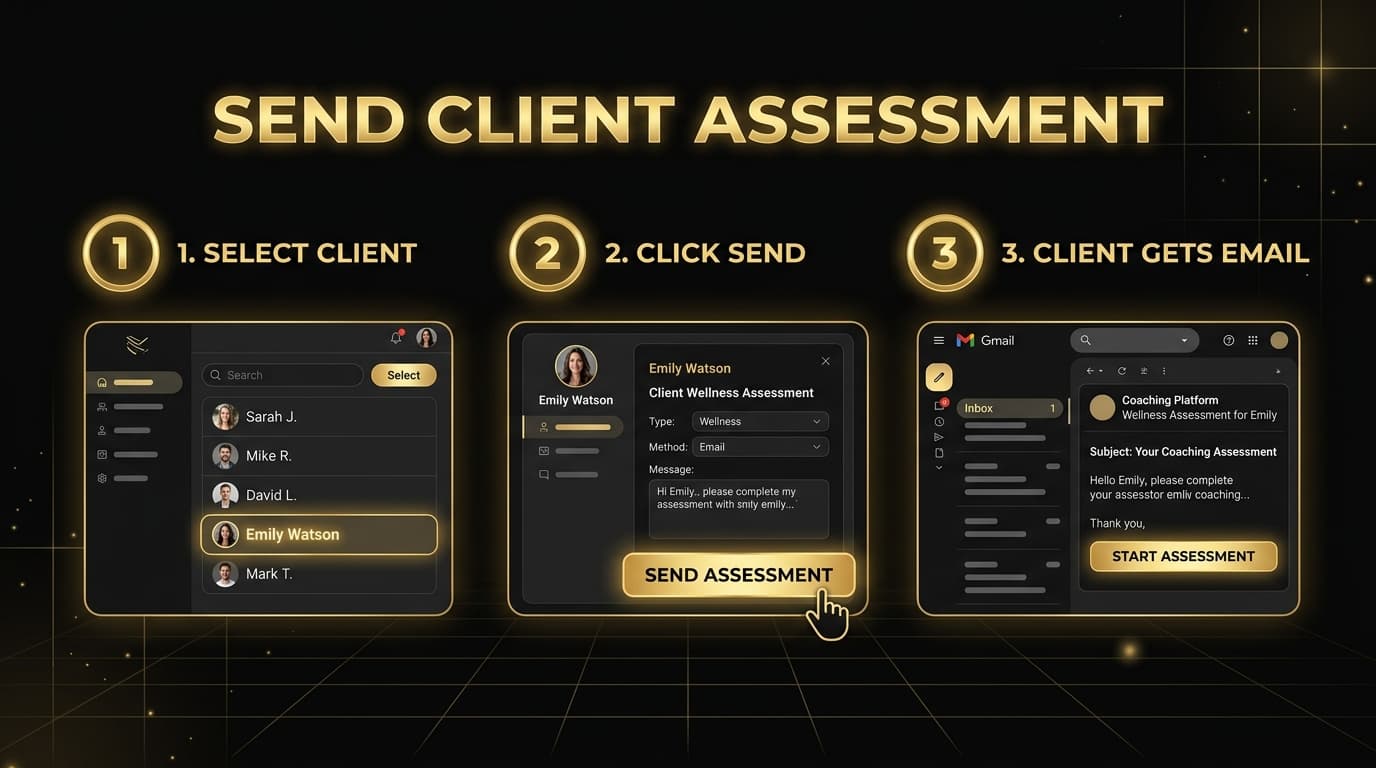
Send a Client Assessment
The circadian assessment takes your client 2 minutes to complete. You'll get their chronotype, circadian score, and actionable insights.
Tip: Each assessment link is unique and secured with HMAC token validation. Links expire after use.
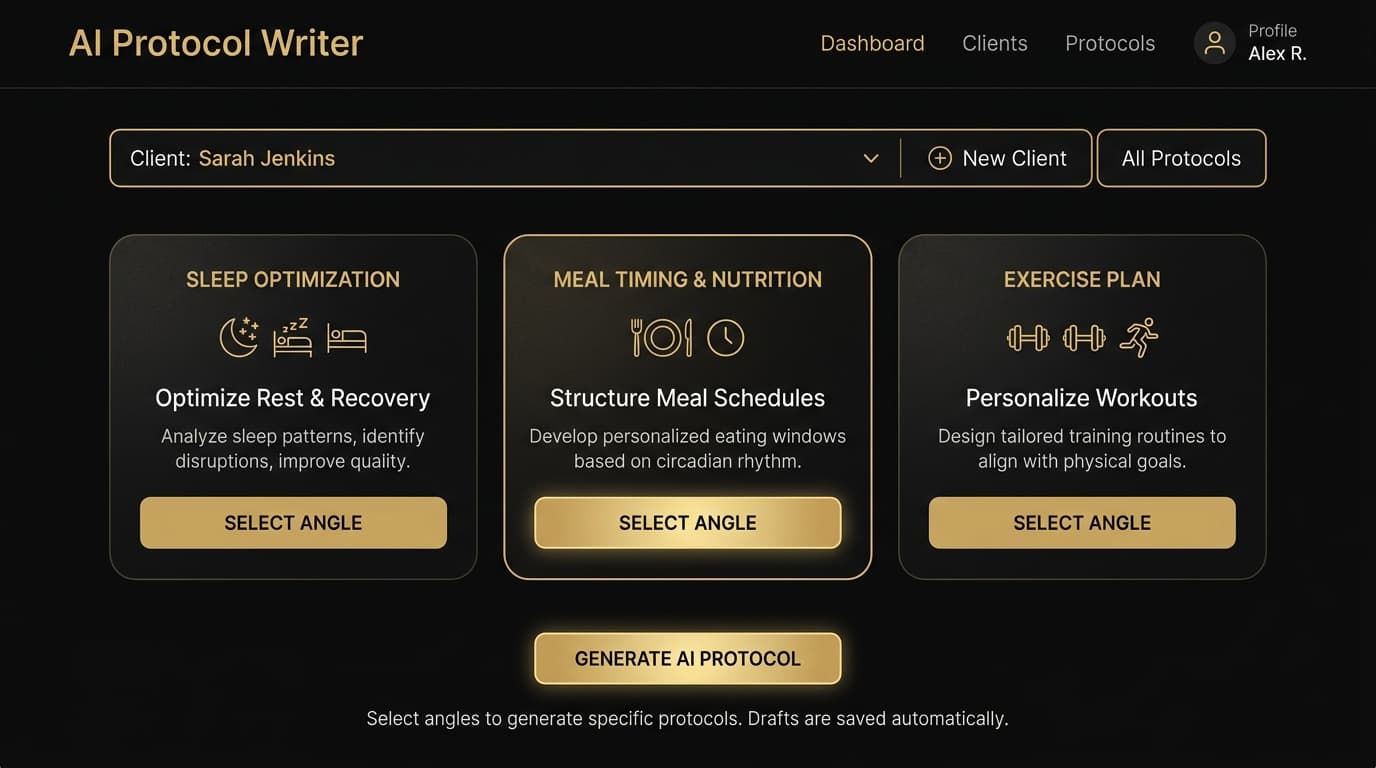
Generate AI Protocols
Meridian AI analyzes your client's circadian data and generates personalized protocols. Choose from three angles based on your coaching focus.
Tip: You can generate multiple protocols per client — one for each angle. Combine all three for a complete circadian program.
Common questions
Do my clients need to create an account?
No. Clients receive a secure one-time link via email. They complete the assessment without signing up or downloading anything.
Can I import my existing client list?
Yes. Go to Settings → Import and upload a CSV file. Map your columns (name, email, phone, notes) and import your full roster in one click.
What does the AI protocol include?
Each protocol includes personalized recommendations based on your client's chronotype and circadian score. Choose from sleep optimization, meal timing, or exercise programming angles — or generate all three.
Can I edit the AI-generated protocols?
Yes. Protocols are fully editable before you share them. Add your own notes, adjust recommendations, or combine multiple angles into one document.
How do I share protocols with clients?
Download as PDF and share through any channel — email, your existing coaching platform, or messaging apps. The protocol is yours to distribute however works best.
Ready to get started?
Add your first client and generate a protocol in under 5 minutes. No setup fees, no contracts.
$79/month after trial · Cancel anytime